| |
ANSYS | 大型通用有限元分析軟件培訓 |
| |
 班級人數--熱線:4008699035 手機:15921673576/13918613812( 微信同號) 班級人數--熱線:4008699035 手機:15921673576/13918613812( 微信同號) |
| 增加互動環節,
保障培訓效果,堅持小班授課,每個班級的人數限3到5人,超過限定人數,安排到下一期進行學習。 |
| 授課地點及時間 |
上課地點:【上海】:同濟大學(滬西)/新城金郡商務樓(11號線白銀路站) 【深圳分部】:電影大廈(地鐵一號線大劇院站)/深圳大學成教院 【北京分部】:北京中山/福鑫大樓 【南京分部】:金港大廈(和燕路) 【武漢分部】:佳源大廈(高新二路) 【成都分部】:領館區1號(中和大道) 【廣州分部】:廣糧大廈 【西安分部】:協同大廈 【沈陽分部】:沈陽理工大學/六宅臻品 【鄭州分部】:鄭州大學/錦華大廈 【石家莊分部】:河北科技大學/瑞景大廈
開班時間(連續班/晚班/周末班):2025年12月15日..以質量求發展....合作共贏....實用實戰....用心服務......--即將開課--........................(歡迎您垂詢,視教育質量為生命!) |
| 課時 |
◆資深工程師授課
☆注重質量
☆邊講邊練
☆若學員成績達到合格及以上水平,將獲得免費推薦工作的機會
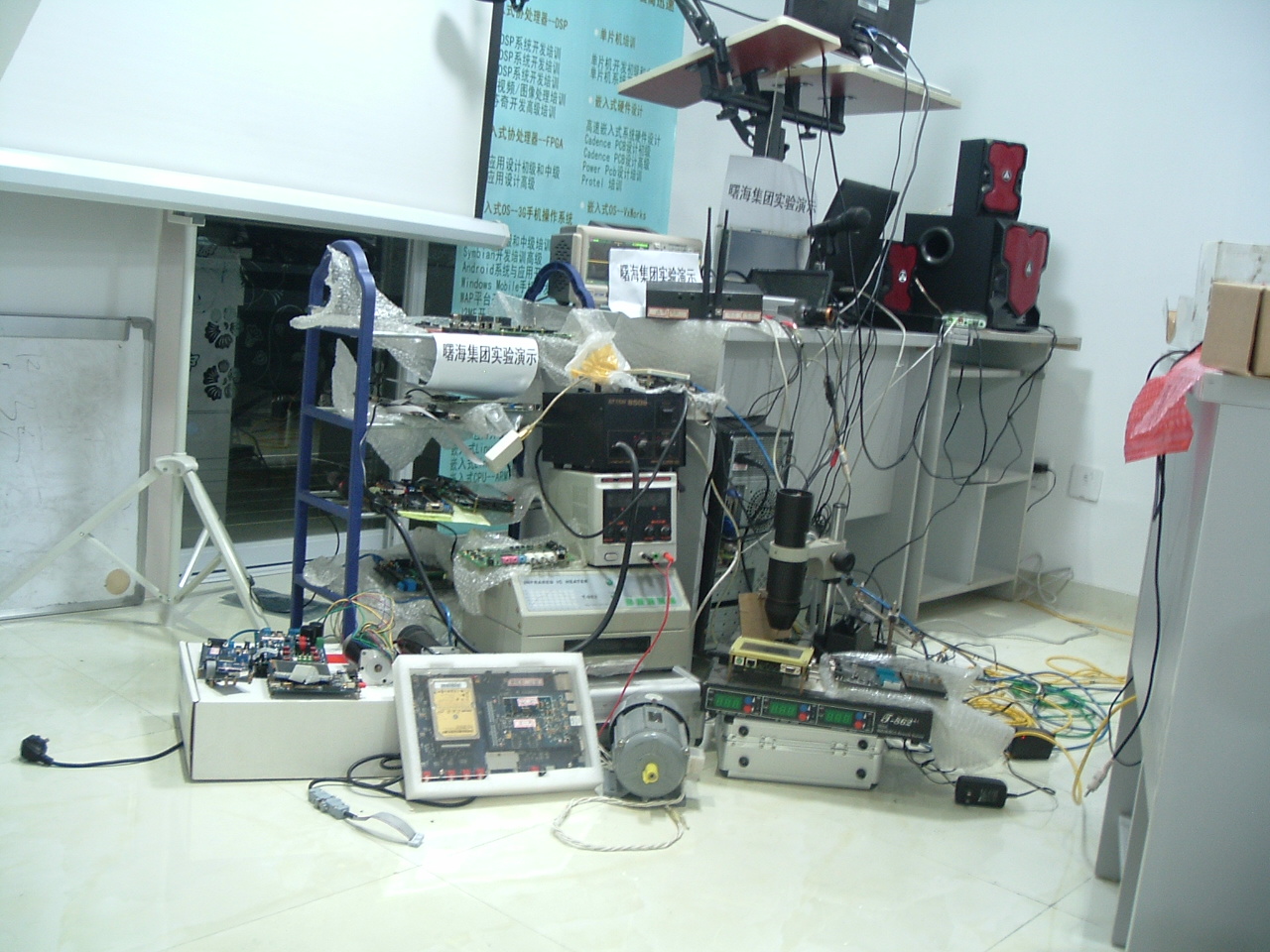
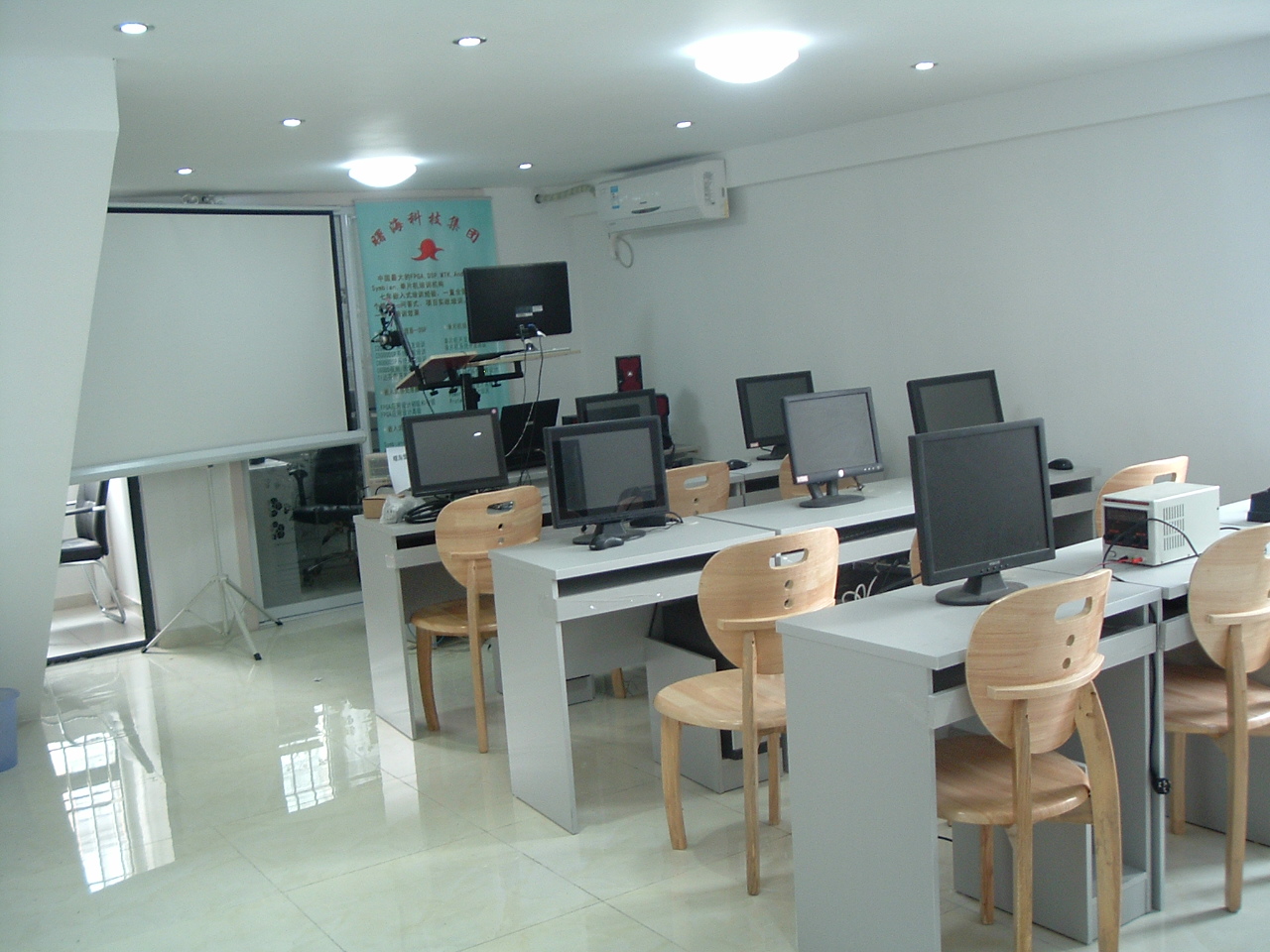
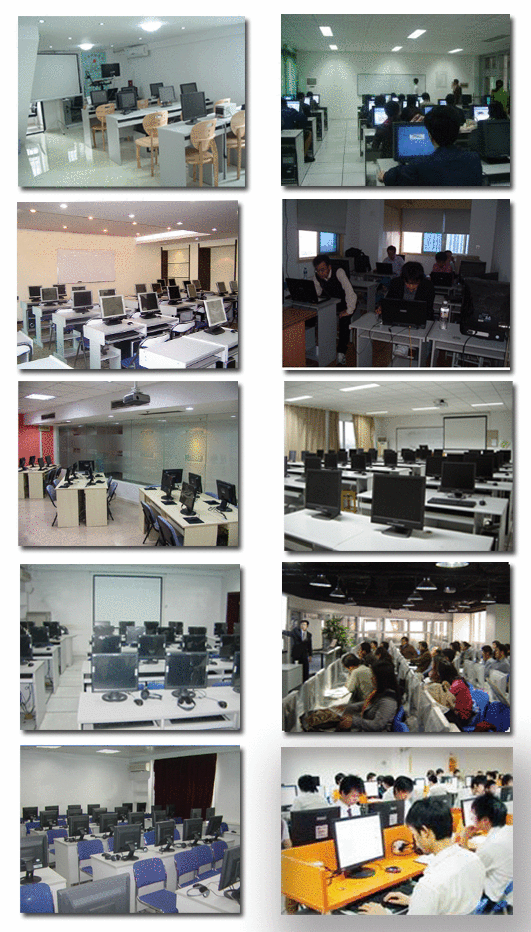
★查看實驗設備詳情,請點擊此處★ |
| 質量以及保障 |
☆
1、如有部分內容理解不透或消化不好,可免費在以后培訓班中重聽;
☆ 2、在課程結束之后,授課老師會留給學員手機和E-mail,免費提供半年的課程技術支持,以便保證培訓后的繼續消化;
☆3、合格的學員可享受免費推薦就業機會。
☆4、合格學員免費頒發相關工程師等資格證書,提升您的職業資質。 |
☆課程大綱☆ |
| |
- MOVER是一個三相(水,石油和天然氣)的有限元模型。目前,MOVER是同類模型中較先進的一種,MOVE可用于水、石油和天然氣的流動模型,優化LNAPL復原和水在飽和/非飽和區域的NAPL陷阱
- ?
- MOVER is an areal three-phase (water, oil and gas) finite-element model. Currently, the most advanced model of its kind, MOVER can be used to model flow of water, oil and gas, and optimize the recovery of LNAPL and water by minimizing NAPL entrapment in the saturated/unsaturated zones. A submodel of MOVER can be used to simulate coupled flow of water and LNAPL with a static atmospheric gas phase. MOVER simulates heterogeneous, anisotropic porous media or fractured media. It allows use of isoparametric elements to accurately represent material and physical/hydraulic boundaries. MOVER can be used to design NAPL recovery and hydraulic containment systems under complex hydrogeological conditions.
- In a conventional free-phase recovery system (with static gas phase), oil is trapped in the unsaturated zone when the air-oil table falls and oil is trapped in the saturated zone if the oil-water table rises. In a poorly planned recovery system, 70 percent of the NAPL may be trapped due to fluid tables fluctuations within the cone of depression or in areas beyond the radius of influence if the free phase plume is not contained. Vacuum enhanced recovery increases gradients in water and oil potentials with minimal fluctuations in the fluid tables. Thus vacuum enhanced recovery or bioslurping helps to reduce volume of residual product and enhanced free product recovery, thus reducing cleanup costs.
- ?
- MOVER KEY FEATURES
- Initial conditions and free oil volume are estimated internally from the monitoring well fluid level data.
- Rectangular or 2-D isoparametric quadrilateral elements to accurately model irregular material boundaries, hydraulic, and physical boundaries.
- Vacuum enhanced recovery (bioslurping) of NAPL and water phases are simulated.
- Oil and water recovery rates without vacuum are computed.
- Areal distribution of residual hydrocarbon.
- Interactive finite-element mesh generator, rectangular/isoparametric quadrilateral mesh.
- Spatially-variable water recharge, injection or LNAPL leakage.
- Model multiple pumping and/or injection wells.
- Model specified head and flux conditions.
- Simulates fractured media or granular porous media.
- Bioslurping of NAPL and water phases are simulated.
- MOVER INPUT
- Mesh discretization data
- Initial conditions: water and oil pressure distribution
- Boundary conditions for flow: specified head boundaries and flux boundaries
- Source/sink boundary: Soil hydraulic properties include van Genuchten parameters, hydraulic conductivity distribution, and porosity
- MOVER USER INTERFACE
- Graphical user interface in Windows 3.x, Windows 95 and Windows NT includes a mesh generator/graphical editor which allows DXF site map import, highly irregular geometry and comes with a 16-bit and 32-bit version.
- MOVER OUTPUT
- Spatial distribution of fluid pressure with time
- Spatial distribution of fluid saturation with time
- Fluid velocity distribution with time
- Fluid pumping/injection rates and volume vs. time
- Output from MOVER can be used seamlessly to simulate multicomponent aqueous phase transport using BIOF&T 2-D/3-D
- MOVER TECHNICAL INFORMATION
- MOVER (Multiphase Areal Organic Vacuum Enhanced Recovery Simulator) can be used to model recovery and migration of light nonaqueous phase liquids with vacuum enhanced recovery in unconfined heterogeneous, anisotropic aquifers. BIOF&T can be used in conjunction with MOVER to simulate multispecies dissolved phase transport in heterogeneous, anisotropic, fractured media, or unfractured granular porous media.
- Groundwater contamination from hydrocarbon spills/leaks is a serious environmental problem. Nonaqueous phase liquids (NAPL) are immiscible fluids that have insignificant solubility in water. NAPLs in subsurface migrate under the influence of capillary, gravity, and buoyancy forces as a separate phase. Light NAPLs (LNAPLs) float and migrate on top of the water table posing a continuous source of contamination to the groundwater. Due to water table fluctuations, some of the NAPL gets trapped in the unsaturated and saturated zones. NAPL trapped in the soil and groundwater acts as a continuing source of groundwater contamination resulting in expensive restoration of these aquifers. MOVER optimizes recovery of LNAPL by vacuum enhanced recovery by increasing gradient in the oil potentials with minimum fluctuations in the fluid tables.
- MOVER consists of:
- MOVER flow module simulates vacuum enhanced recovery and migration of water and LNAPL in unconfined aquifers following an LNAPL spill or leakage at a facility. It can also simulate NAPL recovery with skimmers and trenches with static gas phase. MOVER can be used to optimize the number, location, and recovery rates for water, oil, and soil vapor extraction wells.
- MOVER writes input files for BIOF&T, a transport model that simulates decoupled 2-D or 3-D multispecies aqueous phase transport from the free and residual NAPLs.
- The MOVER flow module invokes an assumption of near-equilibrium conditions in the vertical direction. This reduces the nonlinearity in the constitutive model and transforms a 3-D problem into a 2-D areal problem, thereby drastically reducing computational time for the simulation.
- MOVER gives the initial distribution of NAPL specific volume in the domain for BIOF&T which models the aqueous phase transport, computes and updates the temporal and spatial variation in the source during the simulation.
- This software is accompanied by a user-friendly pre-processor, Mesh Editor and post-processor. The pre-processor and Mesh Editor can be used to create input data files for MOVER. The pre-processor and Mesh Editor include modules for: mesh generation; allocating heterogeneous and anisotropic soil properties; defining fixed head, flux, source/sink boundary conditions for water, oil, and gas phases; and allocating spatially-variable recharge in the domain. Two-dimensional rectangular or isoparametric quadrilateral elements are permissible to accurately model irregular domain and material boundaries.
- Required input for flow analyses consists of initial air-oil table, air-water table distribution, soil hydraulic properties, fluid properties, time integration parameters, boundary conditions and mesh parameters. The van Genuchten constitutive model, along with fluid scaling parameters, is used to compute water and oil phase volumes.
- MOVER output includes a list of the input parameters, initial and boundary conditions, and the mesh connectivity. It also includes simulated water, oil, and gas phase pressures, water, oil, and gas phase velocities at each node, total volume of water and oil versus time, and water and oil recovery/injection rates for each sink/source location versus time. Volume of free oil, and residual oil, and their spatial distributions are also printed versus time. Flow simulations can be performed in stages. MOVER creates an auxiliary file at the end of the current stage that can be used to define initial conditions for the next stage.
- MOVER INPUT PARAMETERS
- Estimation of Soil Properties
- Soil properties needed for a MOVER flow simulation are: saturated hydraulic conductivity in principal flow directions, anisotropy angle of the main principal flow direction in the areal plane with the x-direction of the model domain, soil porosity , irreducible water saturation, and van Genuchten retention parameters. SOILPARA 1995, a proprietary computer model, provides an easy-to-use tool for estimating soil hydraulic parameters from soil texture based on: 1) the public domain model RETC developed by M. Th. van Genuchten et al., 1991, 2) the work of Shirazi and Boersma, 1984 and Campbell, 1985, and 3) a selection of USDA-recommended typical parameter values for various texture classes available in the SOILPARA database are included in the MOVER document.
- Fluid Properties
- Fluid properties required by MOVER are specific gravity, oil to water dynamic viscosity ratio, and fluid scaling parameters. Methods to estimate these parameters are included in the MOVER document.
- Creating Input Data Files
- The sequence of the input parameters and their definitions have been furnished in Appendix D of the document. This section explains the procedure for spatial discretization and mesh generation, defining initial conditions, boundary conditions, and the maximum permissible array dimensions.
- Spatial Discretization and Mesh Generation
- The MOVER modules allow use of rectangular and isoparametric elements. The element size and shape can be changed to obtain mesh refinement that are necessary to obtain accurate results.
- Initial Conditions for Flow
- Initial head distribution in the domain for water and oil can be specified by:
- 1) A bilinear interpolation with heads defined on the left and right boundaries
- 2) A non-uniform head distribution defined by fluid levels in the monitoring wells
- Boundary Conditions
- Specified pressure head (type-1) boundary conditions can be defined at selected nodes versus time.
- Type-2 (specified flux) and source/sink boundary conditions can be defined by specifying the volumetric rate [L3 T -1] versus time for respective nodes. For a type-2 boundary condition, when flux [L T -1] is known at a node, the user should multiply flux with the area represented by the node in a plane perpendicular to the flux.
- MOVER WINDOWS INTERFACE
- What is the MOVER pre-processor?
- The Windows pre-processor for MOVER is designed to help users create and edit input files for the MOVER numerical model. The pre-processor works in concert with the Mesh Editor to allow users to assign boundary condition schedules, soil types, recharge zones, etc., to the finite element mesh used in the MOVER numerical model. The pre-processor contains all control parameters that determine model run options, initial conditions, monitoring well information, fluid properties, boundary schedule data and soil type definitions as well as serving as a binder for Mesh Editor files. The pre-processor also contains a module for writing input files for the MOVER numerical model and for actually running the numerical model.
- Using the MOVER pre-processor
- The MOVER pre-processor runs under Windows 3.X, Windows 95 and Windows NT. The pre-processor uses the familiar tabbed notebook interface to allow quick editing of input files. The main program has two sets of tabs, one along the bottom which separates major sections of the interface, and, on some of the large notebook pages, tabs along the top that separate subsections to make the most use of available screen space. For example, clicking on the bottom tab "Boundary Schedules" takes the user to the boundary schedule notebook. Here there is a tabbed notebook for editing type 1 and type 2 boundary condition schedules.
- The Tools selection on the main menu opens a tabbed notebook which includes Cue Cards, Files used in the pre-processor, a numerical model Runner, and a place to determine the location of the Mesh Editor. The files listed in the pre-processor are used to store variables and retrieve data and are generated automatically by the pre-processor and the Mesh Editor.
- MOVER data files
- All the MOVER variables for the numerical file are stored in ASCII text files that resemble Windows .ini files. These files are read and written by the MOVER pre-processor and Mesh Editor. They can be interchanged in the pre-processor setup window. For example, a material property file used in an earlier project can be assigned to a new project and all those soils will be available in the new project. A mesh file and all its associated files can be imported in the same manner. The data files can be edited with any ASCII text editor although this is not necessary. This open architecture was designed for future expansions of all DAEM models, or for third-party development of graphical interface tools.
- What is the Mesh Editor?
- The Mesh Editor was designed to work with these numerical models to create and edit finite element meshes. The Mesh Editor allows designing irregular quadrilateral meshes in two and three dimensions. Working with a numerical model pre-processor, the Mesh Editor provides a graphical interface for assigning properties to a mesh such as initial concentrations of contaminants, soil properties, boundary conditions, etc.
- Speed Buttons
- Pan
- Panning allows the mesh to be moved in the Mesh Editor window. This puts the Mesh Editor into its "pan" state. You can then hold down the left mouse button and move the mesh on the screen. Letting go of the left mouse button "drops" the mesh in place. Nodes cannot be selected individually in this state.
- Rotate
- The rotate button is the leftmost red button on the tool bar. It puts the Mesh Editor into a "rotate" state where the mouse can be used to rotate the mesh in three dimensions. The mouse will rotate the mesh on the XYZ axis intersection. Rotating the Mesh Editor takes a little getting used to but if you ever get lost, the handy X-Y, Y-Z, and Z-X buttons will snap the mesh back into place.
- Editing
- The rightmost red button called Node Control puts the Mesh Editor in its "editing" state. Now a node or group of nodes can be selected to have values assigned to them, or to be moved in the X, Y and/or Z direction. To edit associations (i.e., soil type, recharge zones, type-1 boundary conditions, etc.) for a node, select the node, then right click the mouse. This will bring up a list of available associations. Clicking on an association will bring up a secondary list of associations that can be assigned to the node.
- Moving Nodes
- Nodes can be moved by holding down the Ctrl key (control) and the left mouse button, then moving the cursor on the screen. Nodes move according to the dimension displayed on the screen, so that two dimensional meshes should be in the default X-Y view for node movement. Nodes can only be moved when the Mesh Editor is in its "editing" state.
- DXF Import
- Version 1.1 of the DAEM Mesh Editor introduced DXF import. This tool allows for .dxf files to be placed on a mesh. This way, site files in CAD programs can be exported to the Mesh Editor, then used to aid mesh refinement and adjustment.
- Post-processor
- The post-processor is a data parsing tool, graphing package and contour export tool for these numerical models. The post-processor is designed to be a user-friendly tool for quickly discerning model results. Users of these models can also review model text output files for a more detailed view of model results.
- MOVER VERIFICATION
- Example: NAPL leak in an unconfined aquifer
- This example is to test the accuracy of MOVER to simulate an LNAPL leak into an unconfined aquifer. The domain is 40 m x 40 m, discretized with uniformly spaced 21 rows and 21 columns (x = 2 m, y = 2 m). A leak occurred at the center of the domain (x = 20 m, y = 20 m) at a rate of 1 m 3/day for 20 days. Simulation was performed with an initial time step of 0.001 days, and the time incremental factor and maximum time step size were 1.03 and 0.2 days, respectively. The initial uniform piezometric head (Pao = Paw ) was 100 m throughout the domain. All boundaries were no-flow boundaries for water and oil phase. The water head at the out boundary was fixed at 100m throughout the simulation.
- The simulated specific oil volume distribution is shown in the following figure along with the corresponding results from MOFAT. There are some differences in these solutions due to the difference in the formulations of the MOVER and MOFAT models. MOVER is a vertically-integrated areal model while MOFAT is a 2-D vertical slice (Planar or radially-symmetric vertical section) model. Nevertheless, it can be seen in the following figure that both solutions agree reasonably well over the range of the simulation.
|
|
|
|
 合作伙伴與授權機構 合作伙伴與授權機構 |

Altera全球合作培訓機構
|
諾基亞Symbian公司授權培訓中心 |

Atmel公司全球戰略合作伙伴
|
微軟全球嵌入式培訓合作伙伴 |

英國ARM公司授權培訓中心 |

ARM工具關鍵合作單位 |
|
|
|
| 我們培訓過的企業客戶評價: |
曙海的andriod 系統與應用培訓完全符合了我公司的要求,達到了我公司培訓的目的。
特別值得一提的是授課講師針對我們公司的開發的項目專門提供了一些很好程序的源代碼, 基本滿足了我們的項目要求。
——上海貝爾,李工
曙海培訓DSP2000的老師,上課思路清晰,口齒清楚,由淺入深,重點突出,培訓效果是不錯的,
達到了我們想要的效果,希望繼續合作下去。
——中國電子科技集團技術部主任 馬工
曙海的FPGA 培訓很好地填補了高校FPGA培訓空白,不錯。總之,有利于學生的發展,
有利于教師的發展,有利于課程的發展,有利于社會的發展。
——上海電子,馮老師
曙海給我們公司提供的Dsp6000培訓,符合我們項目的開發要求,解決了很多困惑我
們很久的問題,與曙海的合作非常愉快。
——公安部第三研究所,項目部負責人李先生
MTK培訓-我在網上找了很久,就是找不到。在曙海居然有MTK驅動的培訓,老師經驗
很豐富,知識面很廣。下一個還想培訓IPHONE蘋果手機。跟他們合作很愉快,老師很有人情味,態度很和藹。
——臺灣雙揚科技,研發處經理,楊先生
曙海對我們公司的iPhone培訓,實驗項目很多,確實學到了東西。受益無窮
啊!特別是對于那種正在開發項目的,確實是物超所值。
——臺灣歐澤科技,張工
通過參加Symbian培訓,再做Symbian相關的項目感覺更加得心應手了,理
論加實踐的授課方式,很有針對性,非常的適合我們。學完之后,很輕松的就完成了我們的項目。
——IBM公司,沈經理
有曙海這樣的DSP開發培訓單位,是教育行業的財富,聽了他們的課,茅塞頓開。
——上海醫療器械高等學校,羅老師
|
| 我們新培訓過的企業客戶以及培訓的主要內容: |
| |
一汽海馬汽車 DSP培訓
蘇州金屬研究院 DSP培訓
南京南瑞集團技術 FPGA培訓
西安愛生技術集團 FPGA培訓,DSP培訓
成都熊谷加世電氣 DSP培訓
福斯賽諾分析儀器(蘇州) FPGA培訓
南京國電工程 FPGA培訓
北京環境特性研究所 達芬奇培訓
中國科微系統與信息技術研究所 FPGA高級培訓
重慶網視只能流技術開發 達芬奇培訓
無錫力芯微電子股份 IC電磁兼容
河北科研究所 FPGA培訓
上海微小衛星工程中心 DSP培訓
廣州航天航空 POWERPC培訓
桂林航天工 DSP培訓
江蘇五維電子科技 達芬奇培訓
無錫步進電機自動控制技術 DSP培訓
江門市安利電源工程 DSP培訓
長江力偉股份 CADENCE 培訓
愛普生科技(無錫 ) 數字模擬電路
河南平高 電氣 DSP培訓
中國航天員科研訓練中心 A/D仿真
常州易控汽車電子 WINDOWS驅動培訓
南通大學 DSP培訓
上海集成電路研發中心 達芬奇培訓
北京瑞志合眾科技 WINDOWS驅動培訓
江蘇金智科技股份 FPGA高級培訓
中國重工第710研究所 FPGA高級培訓
蕪湖伯特利汽車安全系統 DSP培訓
廈門中智能軟件技術 Android培訓
上海科慢車輛部件系統EMC培訓
中國電子科技集團第五十研究所,軟件無線電培訓
蘇州浩克系統科技 FPGA培訓
上海申達自動防范系統 FPGA培訓
四川長虹佳華信息 MTK培訓
公安部第三研究所--FPGA初中高技術開發培訓以及DSP達芬奇芯片視頻、圖像處理技術培訓
上海電子信息職業技術--FPGA高級開發技術培訓
上海點逸網絡科技有限公司--3G手機ANDROID應用和系統開發技術培訓
格科微電子有限公司--MTK應用(MMI)和驅動開發技術培訓
南昌航空大學--fpga 高級開發技術培訓
IBM 公司--3G手機ANDROID系統和應用技術開發培訓
上海貝爾--3G手機ANDROID系統和應用技術開發培訓
中國雙飛--Vxworks 應用和BSP開發技術培訓
|
上海水務建設工程有限公司--Alter/Xilinx FPGA應用開發技術培訓
恩法半導體科技--Allegro Candence PCB 仿真和信號完整性技術培訓
中國計量--3G手機ANDROID應用和系統開發技術培訓
冠捷科技--FPGA芯片設計技術培訓
芬尼克茲節能設備--FPGA高級技術開發培訓
川奇光電--3G手機ANDROID系統和應用技術開發培訓
東華大學--Dsp6000系統開發技術培訓
上海理工大學--FPGA高級開發技術培訓
同濟大學--Dsp6000圖像/視頻處理技術培訓
上海醫療器械高等專科學校--Dsp6000圖像/視頻處理技術培訓
中航工業無線電電子研究所--Vxworks 應用和BSP開發技術培訓
北京交通大學--Powerpc開發技術培訓
浙江理工大學--Dsp6000圖像/視頻處理技術培訓
臺灣雙陽科技股份有限公司--MTK應用(MMI)和驅動開發技術培訓
滾石移動--MTK應用(MMI)和驅動開發技術培訓
冠捷半導體--Linux系統開發技術培訓
奧波--CortexM3+uC/OS開發技術培訓
迅時通信--WinCE應用與驅動開發技術培訓
海鷹醫療電子系統--DSP6000圖像處理技術培訓
博耀科技--Linux系統開發技術培訓
華路時代信息技術--VxWorks BSP開發技術培訓
臺灣歐澤科技--iPhone開發技術培訓
寶康電子--Allegro Candence PCB 仿真和信號完整性技術培訓
上海天能電子有限公司--Allegro Candence PCB 仿真和信號完整性技術培訓
上海亨通光電科技有限公司--andriod應用和系統移植技術培訓
上海智搜文化傳播有限公司--Symbian開發培訓
先先信息科技有限公司--brew 手機開發技術培訓
鼎捷集團--MTK應用(MMI)和驅動開發技術培訓
傲然科技--MTK應用(MMI)和驅動開發技術培訓
中軟國際--Linux系統開發技術培訓
龍旗控股集團--MTK應用(MMI)和驅動開發技術培訓
研祥智能股份有限公司--MTK應用(MMI)和驅動開發技術培訓
羅氏診斷--Linux應用開發技術培訓
西東控制集團--DSP2000應用技術及DSP2000在光伏并網發電中的應用與開發
科大訊飛--MTK應用(MMI)和驅動開發技術培訓
東北農業大學--IPHONE 蘋果應用開發技術培訓
中國電子科技集團--Dsp2000系統和應用開發技術培訓
中國船舶重工集團--Dsp2000系統開發技術培訓
晶方半導體--FPGA初中高技術培訓
肯特智能儀器有限公司--FPGA初中高技術培訓
哈爾濱大學--IPHONE 蘋果應用開發技術培訓
昆明電器科學研究所--Dsp2000系統開發技術
奇瑞汽車股份--單片機應用開發技術培訓
|
|
|
|
|





















 shuhaipeixun
 1299983702
 總部李老師
總部李老師